Nexus is your new unified portal for managing all Armor services. This page provides an overview of its features, navigation, transition guidance and key actions.
Your New Unified Armor Portal
Nexus is now available for all Armor customers with no migration steps or transition required from your side.
You can access Nexus immediately at: https://nexus.armor.com/dashboard
Nexus provides a modern, streamlined interface designed to make it easier for you to understand your security posture, access your services and collaborate with the Armor team.
Key Benefits of Nexus
Tip
Nexus simplifies your daily operations by giving you a clearer, faster and more unified security experience.
Nexus delivers a modern, unified experience designed to make it easier for you to manage your security posture.
Summary of Benefits
-
A single portal for all Armor services
-
Modern interface with consistent navigation
-
Real time visibility into security incidents through the Nexus Incidents page
-
Richer context through the Threat Intelligence dashboard and Armor Intelligence Platform analysis
-
Secure and centralized way to share sensitive information using Nexus Secure Notes
Why Nexus Exists
Nexus consolidates all Armor services into a single experience so you can navigate your security environment with clarity and confidence.
It offers a more consistent layout, improved visibility and an expanding set of features that enhance how you interact with your data and with Armor Support. Nexus will continue to evolve with additional capabilities designed to strengthen your security operations.
What Is Available in Nexus Today
Feature Overview
Below is a high level summary of the core and new features available in Nexus.
Existing Functionality
Nexus includes the same AEC and AA pages you currently use in AMP. You will not lose any features or need to operate across multiple portals.
New Capability. Enhanced Security Incident Management
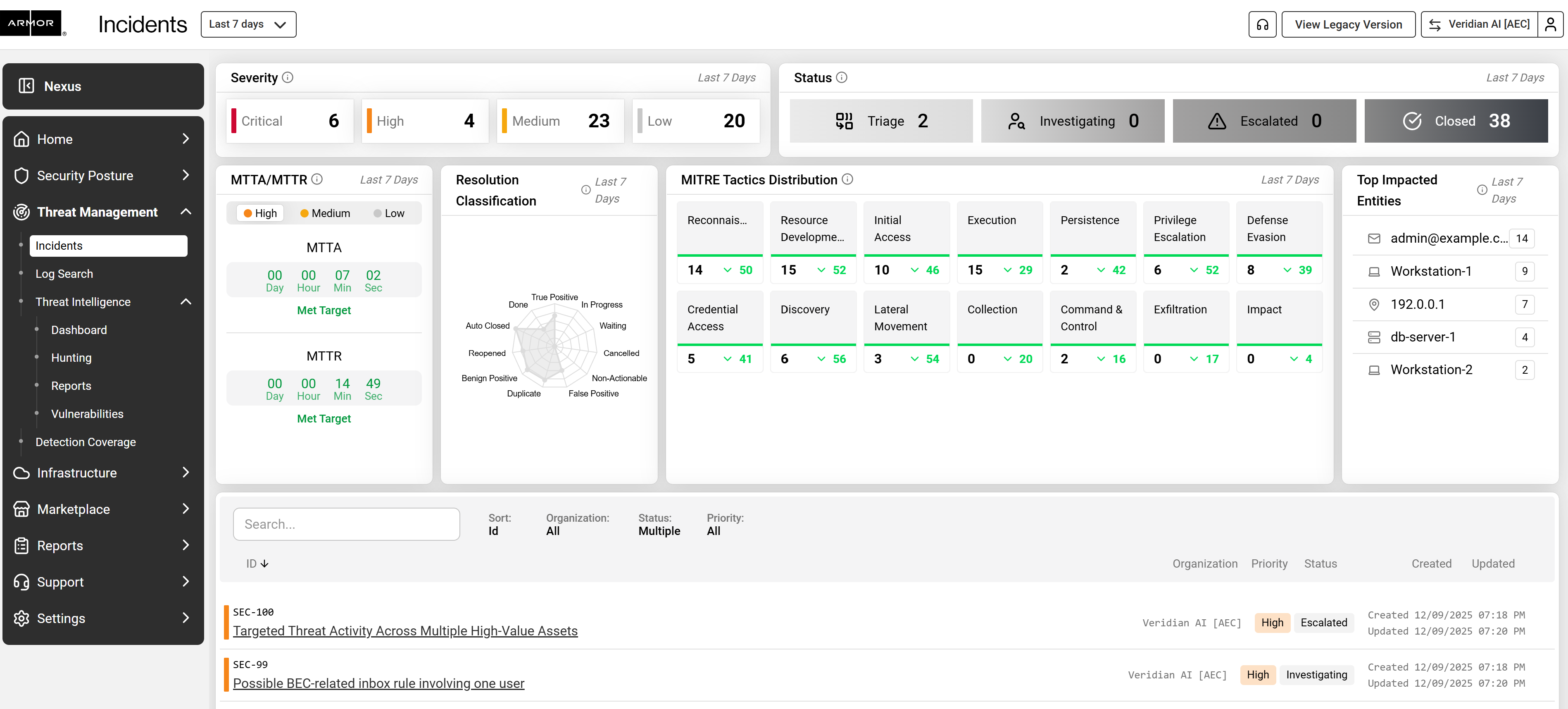
Nexus includes a redesigned incident management interface that gives complete transparency into SOC activity and includes a built in chat interface for direct communication.
New Capability. Armor Intelligence Platform Analysis
When applicable, Nexus displays enriched incident analysis powered by Armor’s Intelligence Platform. This Agentic AI SOC technology accelerates triage and enhances investigative insights.
New Capability. Threat Intelligence
Nexus introduces a dedicated Threat Intelligence dashboard that highlights global activity being monitored by Armor. This helps customers understand risks even outside their immediate environment.
New Capability. Secure Notes
Secure Notes provides a protected, centralized vault for sharing sensitive information with Armor. This replaces email and ticket based exchanges for confidential data and keeps it securely organized.
Navigating Nexus
Nexus uses a simple left side navigation so you can quickly access the areas most important to your operations.
Below is a summary of each main section along with a short guide to help you find commonly used features. that groups features into clear sections.
Overview Dashboard
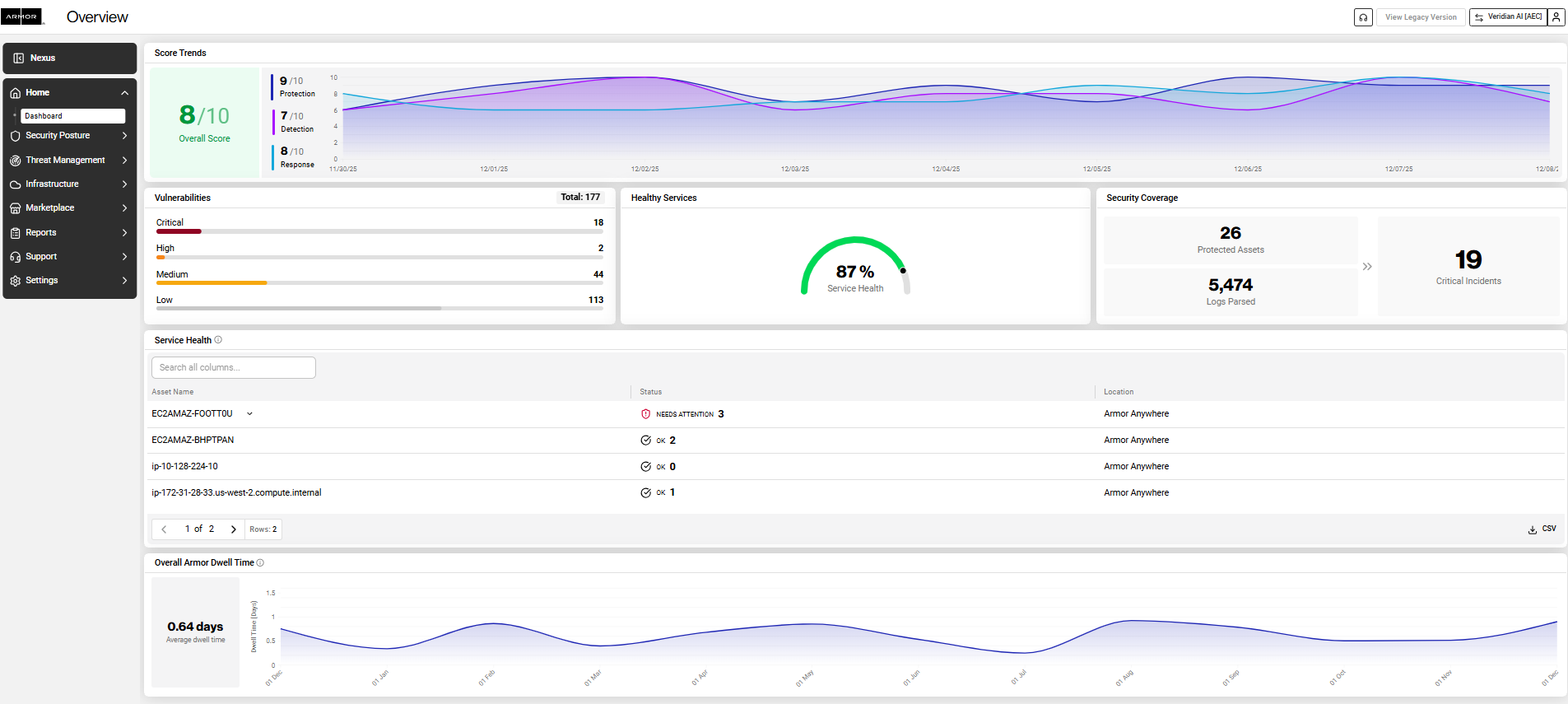
The Home page provides an overview of your security posture including:
-
Vulnerability counts across severity levels
-
Asset level service health indicators
-
Overall service health score
-
Security coverage status
-
Parsed log counts
-
Critical incident totals
-
Armor dwell time metrics
This dashboard presents familiar AMP data in a cleaner layout and includes new value added metrics.
Security Posture
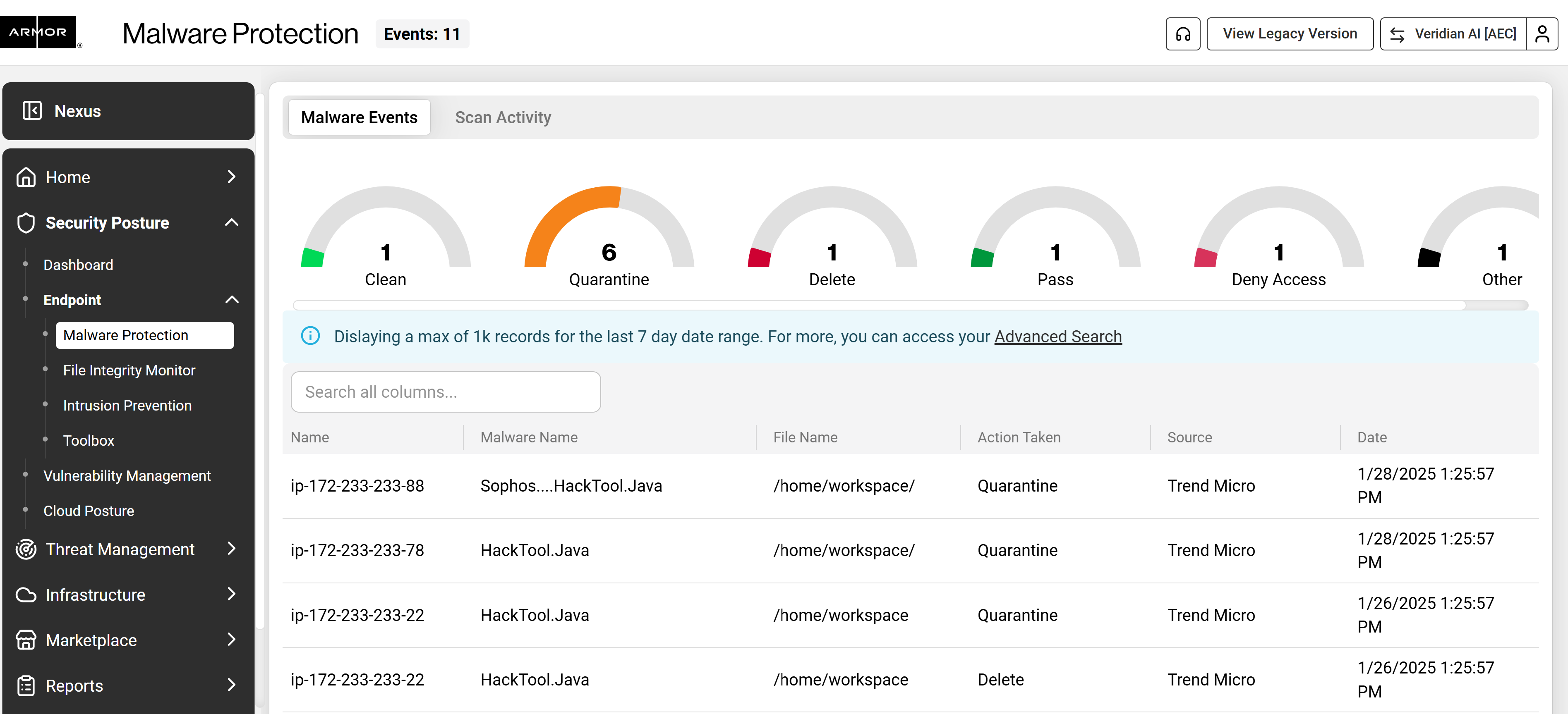
This section includes pages that help you understand risks in your environment:
|
Page |
Description |
|---|---|
|
Vulnerability Management |
View vulnerability counts, severities, affected assets and remediation needs |
|
Cloud Posture |
Identify misconfigurations and compliance issues across cloud environments |
|
Endpoint Security |
Access malware protection, file integrity monitoring, intrusion prevention and toolbox functions |
Threat Management
|
Page |
Description |
|---|---|
|
Incidents |
Full transparency into SOC investigations, including live status and actions |
|
Log Search |
Search logs for specific activity or indicators |
|
Threat Intelligence |
Visibility into active threats and patterns tracked by Armor |
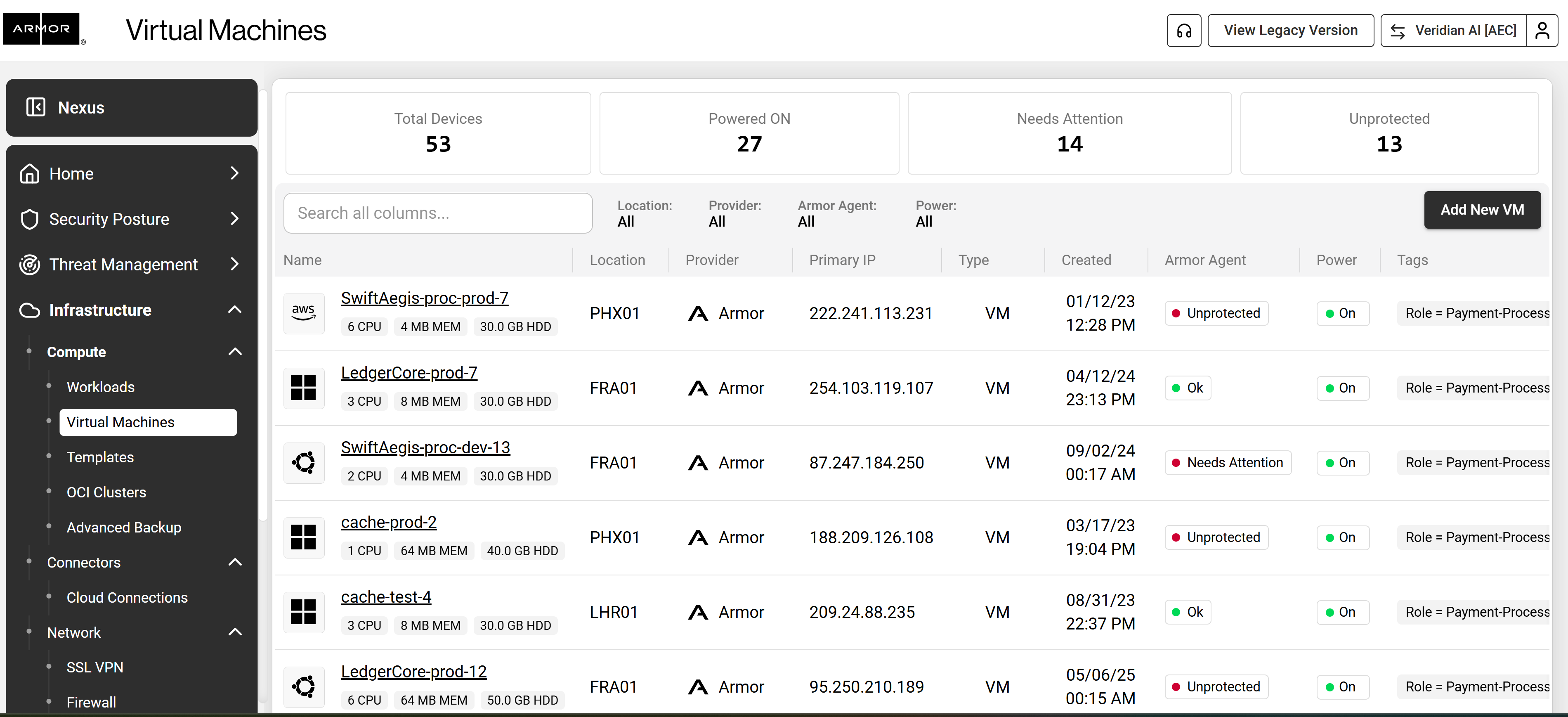
Infrastructure
|
Page |
Description |
|---|---|
|
Instances |
View all VMs and instance details including status, health and metadata |
|
Cloud Connections |
Review and manage connections to cloud accounts |
|
Network |
View firewall settings, SSLVPN, IP address assignments and related configurations |
Marketplace
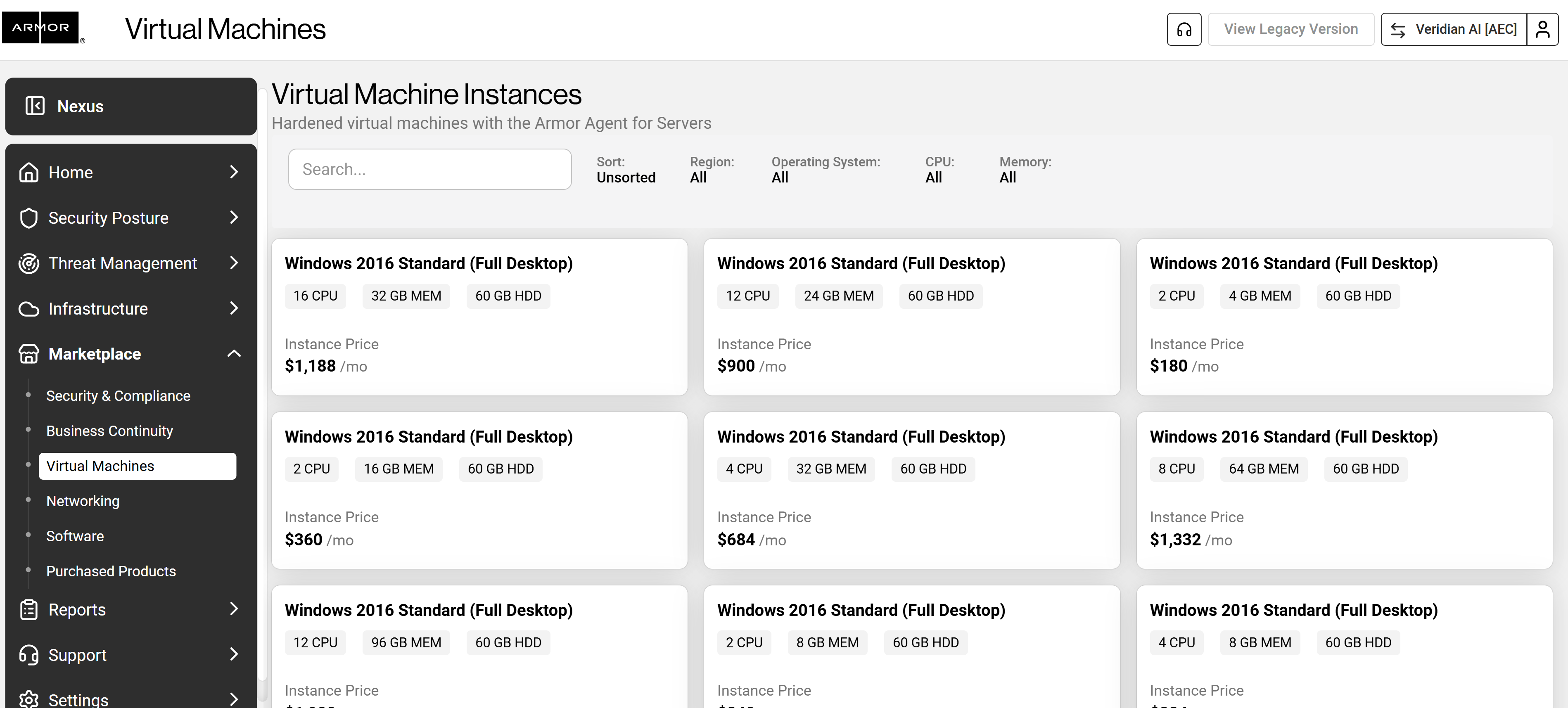
The Marketplace allows customers to view current services and explore optional add on products related to:
-
Business continuity
-
Security
-
Compliance
-
Networking
-
Virtual machines
-
Software
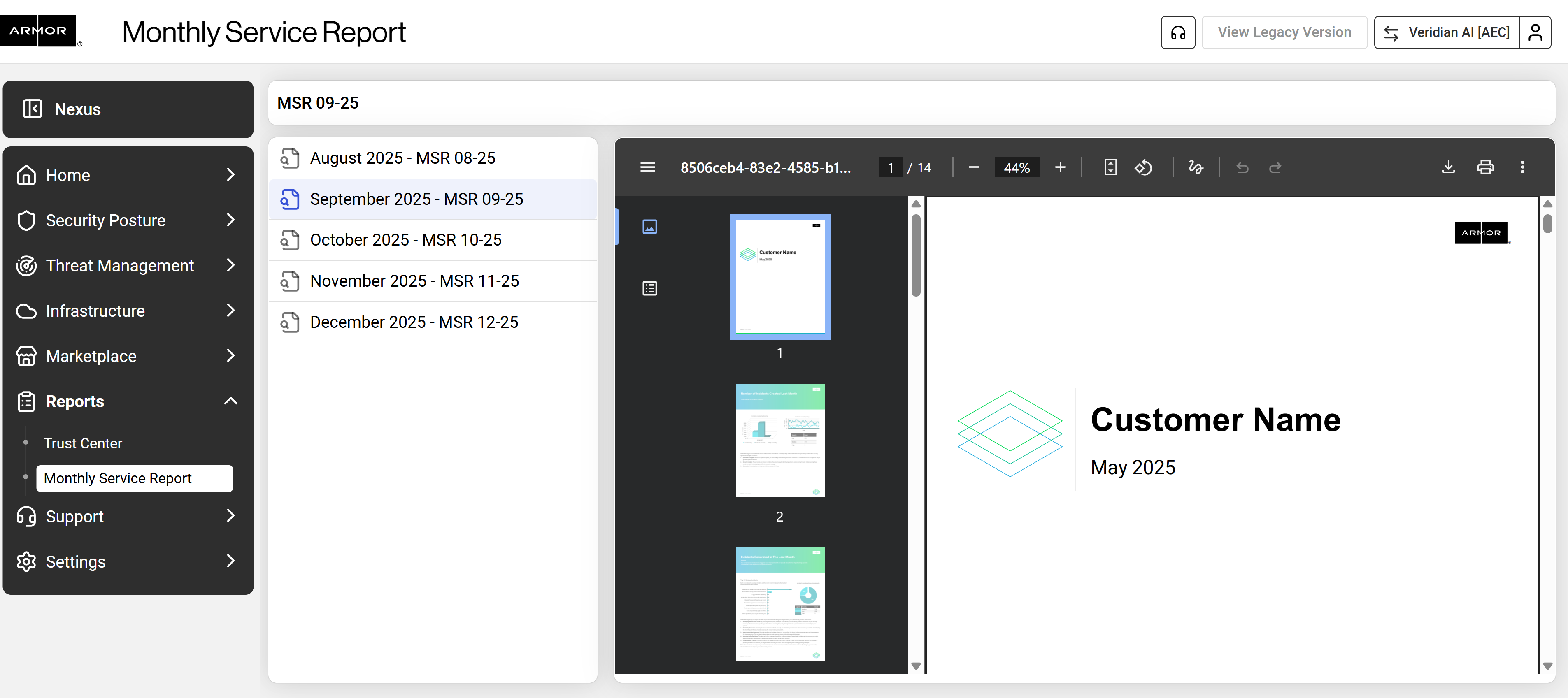
Reports
|
Page |
Description |
|---|---|
|
Trust Center |
Access compliance artifacts provided and inherited through Armor services |
|
Monthly Service Report |
Review monthly summaries of security activity and environment health |
Support
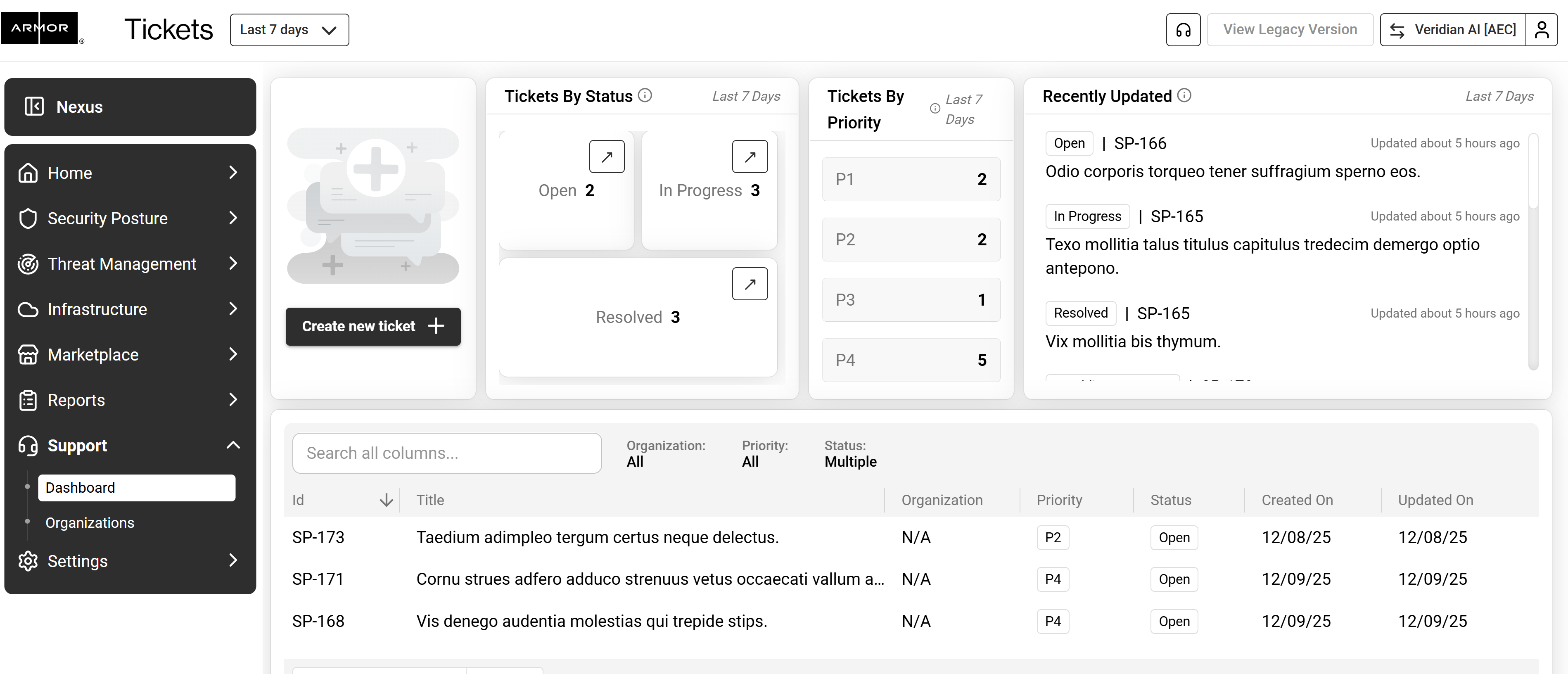
The Support area includes an updated and improved experience. Customers can:
-
Create support tickets
-
Review tickets by status and priority
-
View recent updates
-
Access an overall support dashboard for visibility
Settings
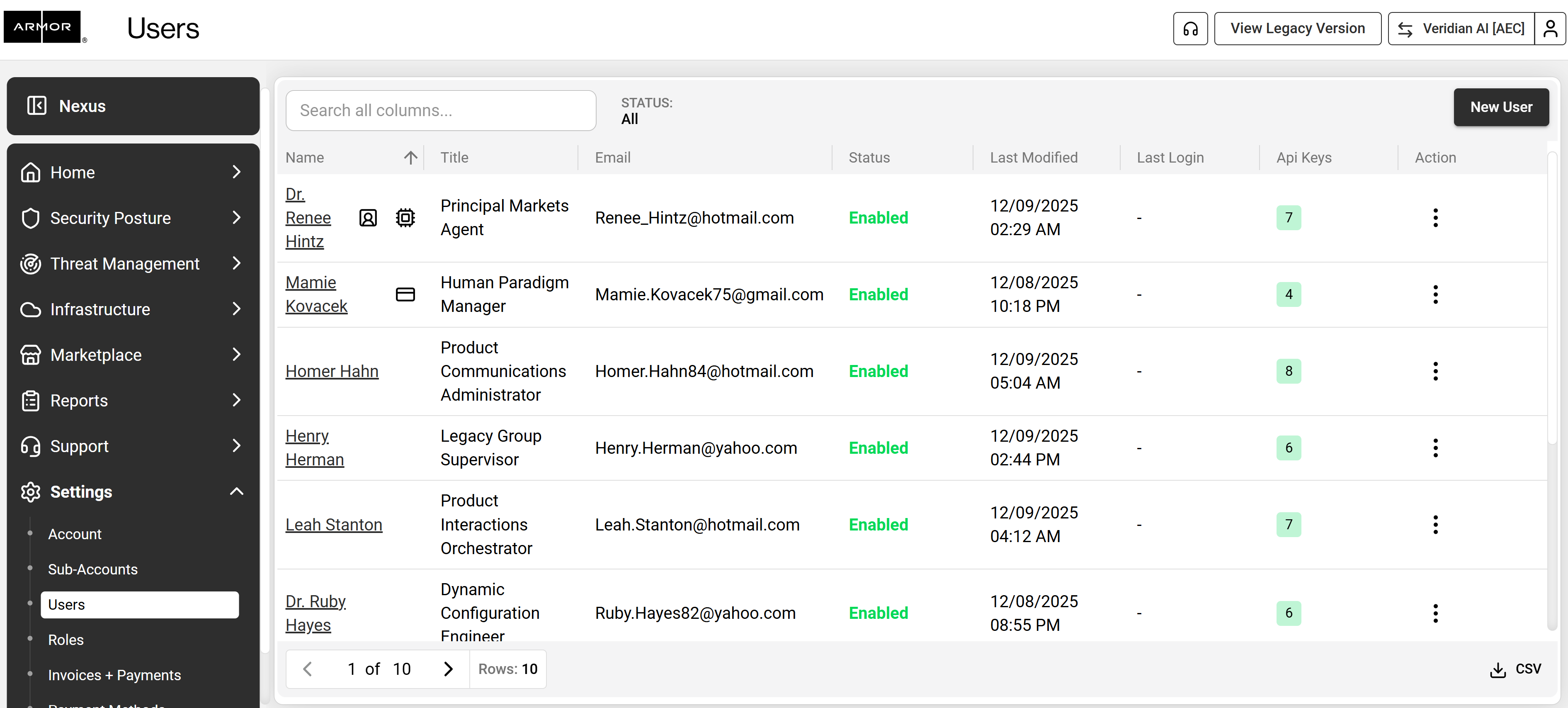
This section includes:
-
Accounts
-
Users
-
Roles
-
Invoices
-
Payments
-
Activity logs
-
Secure Notes
What To Expect During the Transition
Spotlight extension
What You Can Expect
-
All AMP functionality already exists in Nexus
-
No downtime or service interruptions
-
You can switch between AMP and Nexus as needed
-
Nexus will continue to expand with new features and improvements
Action Required
Complete the following steps to ensure a smooth transition.
Although no transition is required, we recommend completing the following steps:
-
Log in to Nexus at https://nexus.armor.com
-
Confirm that your account details, users, and environment information appear correctly
-
Review the updated documentation for new features, including Secure Notes
-
Contact Armor Support if you notice anything unexpected or need assistance
Availability of Nexus
Nexus is fully available today with no migration steps required. You may continue to use AMP during this period, but we encourage you to take advantage of the improved layout, added visibility and expanded features in Nexus.
Nexus will continue to evolve with improved workflows, deeper integrations and expanded visibility across security operations.